
Best Free AI Watermark Remover in 2026: Remove Image Watermarks Automatically Without Losing Quality
Watermarks are everywhere.
Whether you're working with product photos, marketing materials, social media graphics, old image archives, or stock photography previews, unwanted watermarks can significantly reduce the usability and visual appeal of an image. Traditional watermark removal methods often require advanced editing skills, time-consuming manual work, or expensive software subscriptions.
Fortunately, AI technology has completely changed the game.
Today, the best AI watermark removers can automatically detect and remove watermarks from images within seconds while preserving the original image quality. Instead of manually cloning pixels or carefully masking watermark areas, modern AI systems analyze image structures, identify watermark layers, and intelligently reconstruct the hidden content underneath.
Among all available solutions, Unwatermark stands out as one of the best free AI watermark removers available today. Its advanced AI-powered detection engine can identify and remove virtually any type of watermark, including transparent watermarks, invisible watermarks, repeated watermarks, logos, text overlays, and even complex full-screen watermark patterns.
In this guide, we'll explore why Unwatermark is considered one of the most powerful free AI watermark removal tools, how it works, and why thousands of users rely on it for professional-quality results.
Why Traditional Watermark Removal Tools Often Fail
Many watermark removers on the market still rely on outdated image editing techniques.
These tools typically require users to manually select watermark areas and attempt to fill the missing regions using surrounding pixels. While this approach may work for simple logos placed on clean backgrounds, it often struggles when dealing with:
- Multiple watermarks across the image
- Semi-transparent watermark overlays
- Low-opacity invisible watermarks
- Watermarks placed over faces
- Watermarks covering product details
- Repeated pattern watermarks
- Full-image watermark layers
The result is often obvious artifacts, blurry patches, distorted textures, or visible repair marks that make the image look unnatural.
For professional users such as ecommerce sellers, marketers, designers, and photographers, these imperfections are unacceptable.
This is where advanced AI watermark removal technology makes a significant difference.
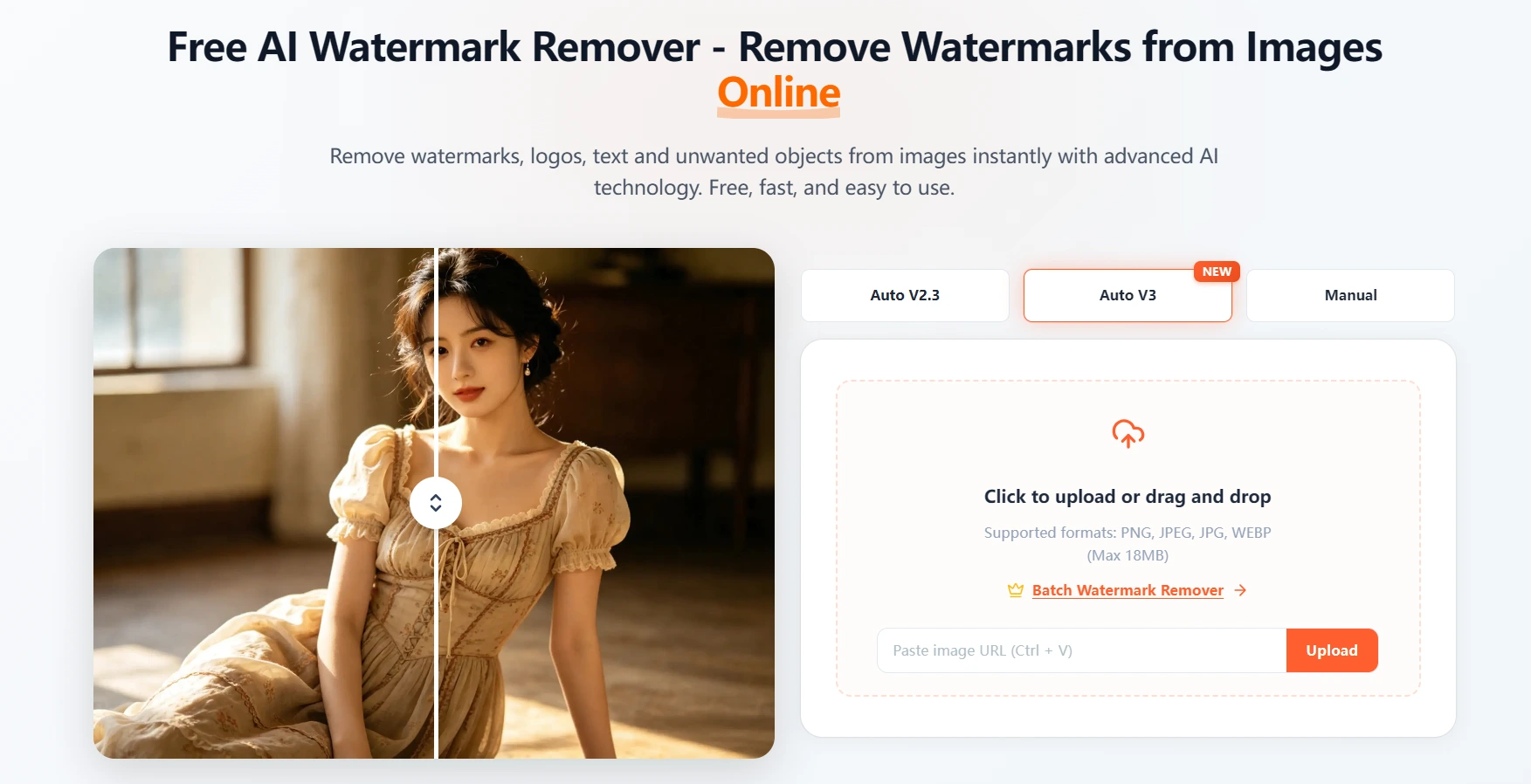
Best Free AI Watermark Remover: How Unwatermark Uses AI to Detect and Remove Watermarks
Unlike traditional tools, Unwatermark uses a proprietary AI watermark detection model specifically trained to identify watermark structures across millions of image samples.
Once an image is uploaded, the system automatically begins analyzing the entire image.
The AI does not simply look for visible logos or text. Instead, it performs a deep semantic analysis of image layers, textures, color patterns, transparency variations, and structural inconsistencies that indicate the presence of a watermark.
This allows Unwatermark to detect:
- Single watermarks
- Multiple watermarks
- Transparent watermarks
- Repeated watermark grids
- Invisible low-opacity watermarks
- Embedded text overlays
- Logo watermarks
- Full-screen watermark layers
The entire process is fully automated.
Users simply upload an image, and the AI automatically detects watermark locations without requiring any manual selection or editing.
Within seconds, the image is processed and returned with the watermark removed.
No Photoshop skills required.
No complicated editing workflow.
No manual masking.
No technical experience needed.
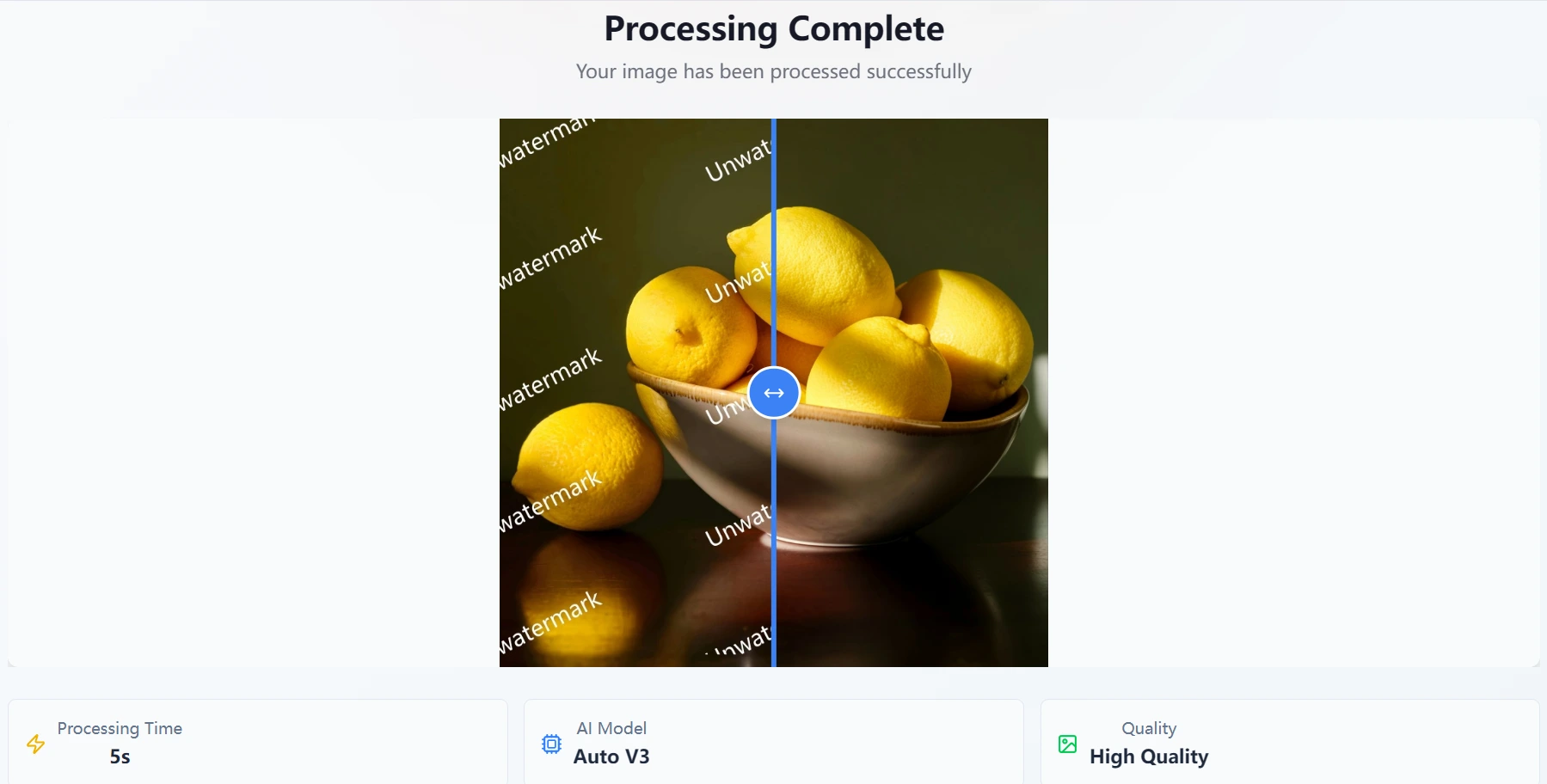
AI Watermark Detection That Can Find Even Invisible Watermarks
One of the biggest challenges in watermark removal is dealing with invisible or highly transparent watermarks.
Many modern watermark systems intentionally reduce opacity levels to make watermarks difficult to detect. Some are nearly impossible to identify with the naked eye.
Traditional watermark removers often fail because they rely primarily on visible contrast differences.
Unwatermark takes a completely different approach.
Its AI engine analyzes microscopic pixel relationships throughout the image and identifies subtle inconsistencies introduced by watermark layers.
Even when transparency levels are extremely low, the AI can isolate the watermark information from the original image content.
This capability allows Unwatermark to successfully detect and remove:
- Hidden copyright watermarks
- Transparent branding marks
- Low-opacity image protection overlays
- Repeated invisible watermark patterns
- Complex blended watermark layers
This level of detection accuracy places Unwatermark far ahead of most free watermark removal tools currently available.
For users dealing with professional image assets, product photography, design resources, or archival images, the ability to remove invisible watermarks can save countless hours of manual editing.
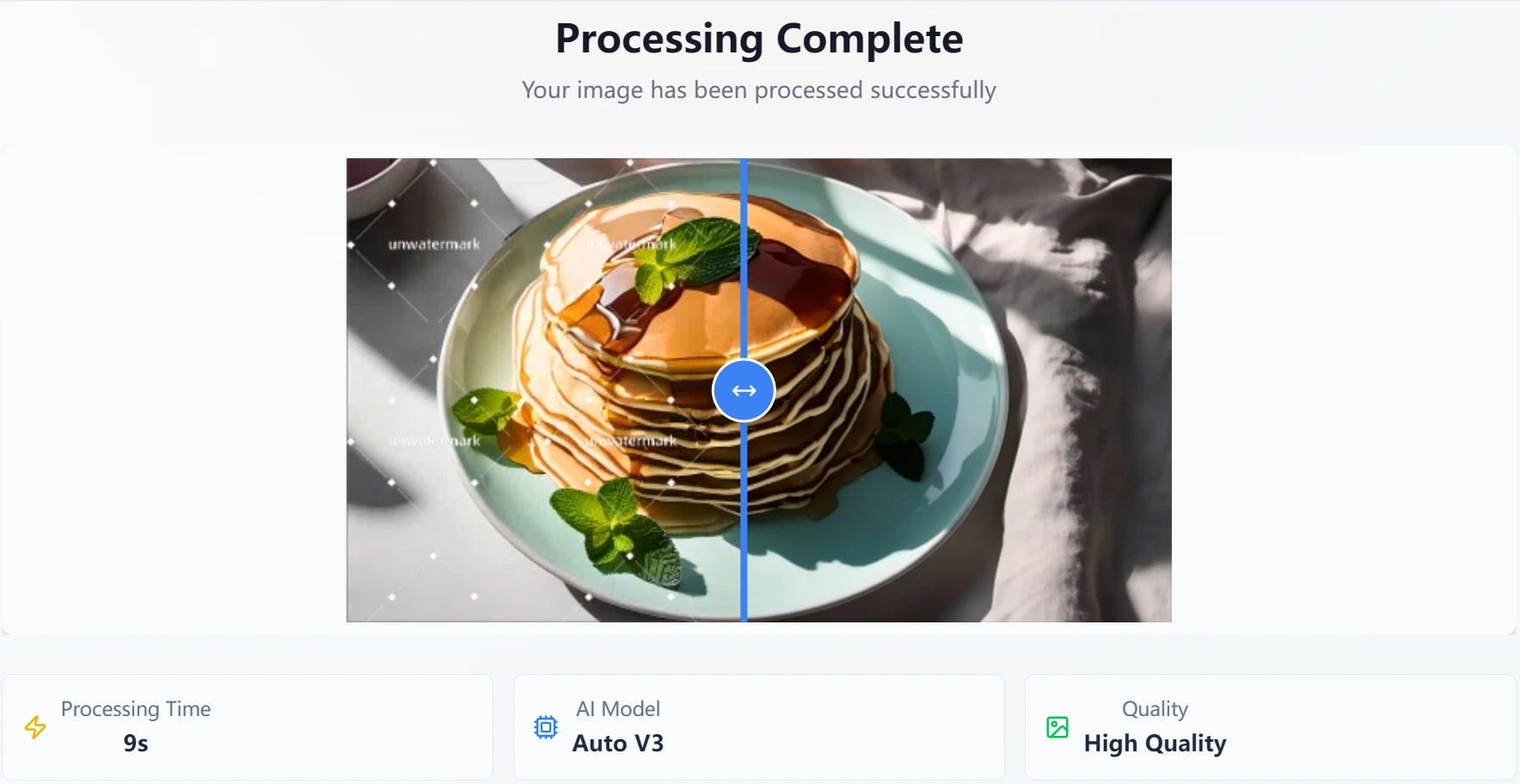
Pixel-Level AI Repair Preserves Original Image Details
Removing a watermark is only half the challenge.
The real test is what happens after the watermark disappears.
Many AI tools leave behind blurry patches, texture inconsistencies, distorted objects, or visible repair marks that immediately reveal where the watermark once existed.
Unwatermark addresses this problem using advanced pixel-level reconstruction technology.
After detecting the watermark, the AI intelligently analyzes surrounding image structures and recreates missing content based on contextual understanding rather than simple pixel copying.
This enables the system to preserve:
- Facial details
- Product textures
- Skin tones
- Textures and patterns
- Background consistency
- Lighting and shadows
- Image composition
Most importantly, the AI avoids shifting or altering important visual elements.
Objects remain in their original positions.
Faces maintain their identity.
Product images retain their original appearance.
The final result looks natural and untouched, as if the watermark never existed in the first place.
For ecommerce businesses where product presentation directly affects conversion rates, this level of quality preservation is particularly valuable.
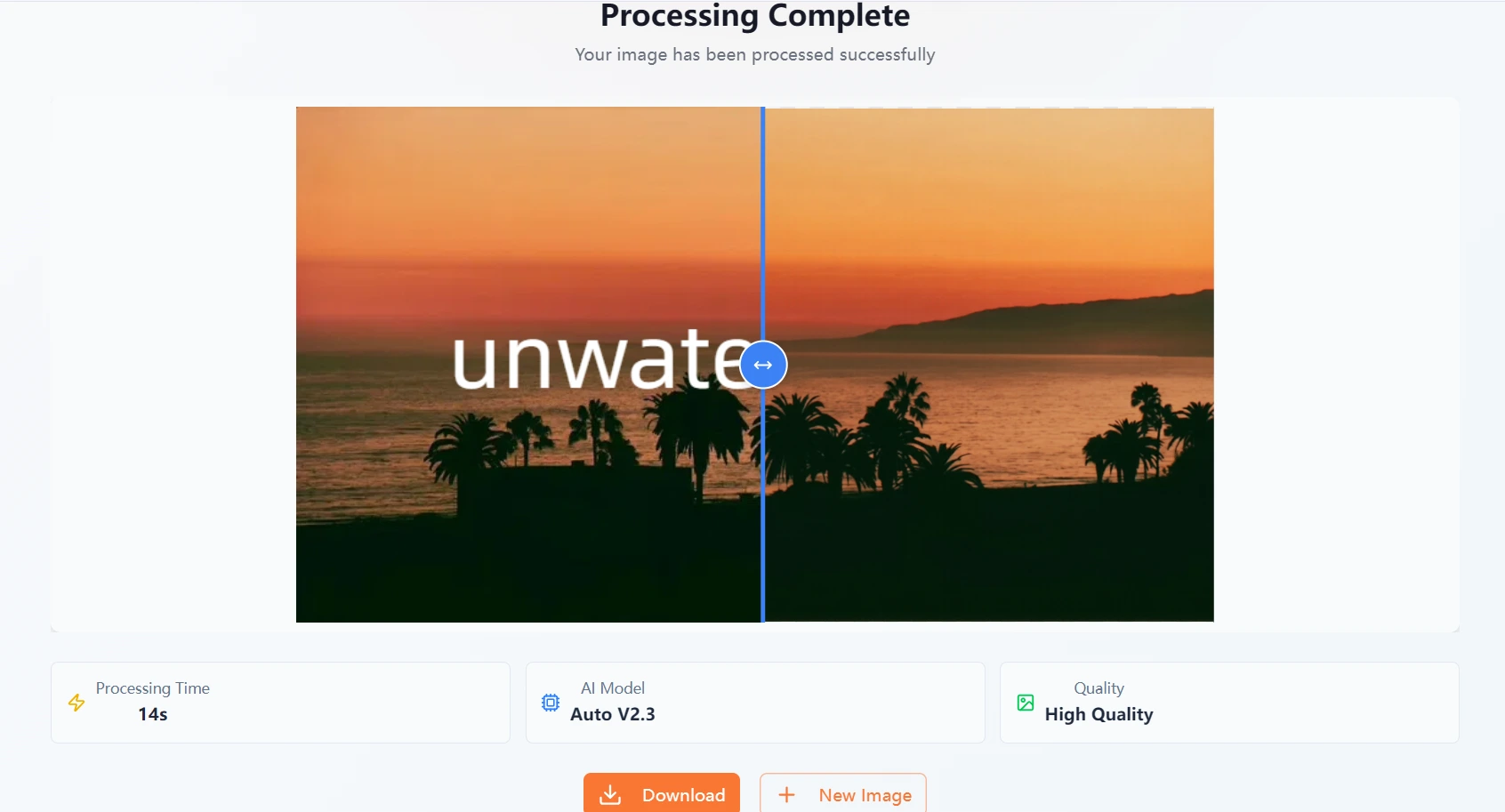
Best Free AI Watermark Remover for Ecommerce Sellers and Professional Users
For ecommerce businesses, image quality directly impacts customer trust and conversion rates.
Whether you're selling on Amazon, Shopify, Etsy, eBay, Walmart Marketplace, or social commerce platforms, product images are often the first thing potential customers notice.
Unfortunately, many product photos sourced from suppliers, manufacturers, or previous marketing campaigns contain watermarks, logos, promotional text, or branding elements that need to be removed before reuse.
Manually cleaning hundreds of product images can take days or even weeks.
This is where Unwatermark becomes an essential productivity tool.
Because the AI automatically detects watermark locations and repairs images without manual intervention, users can process large numbers of images in a fraction of the time required by traditional editing methods.
Common ecommerce use cases include:
- Cleaning supplier product photos
- Removing marketplace branding
- Eliminating promotional text overlays
- Removing old campaign watermarks
- Updating product catalogs
- Creating consistent product listings
- Preparing images for advertising campaigns
For professional agencies, photographers, content creators, and digital marketers, the time savings can be even more significant.
Instead of spending hours in photo editing software, entire image libraries can be cleaned automatically and prepared for immediate use.
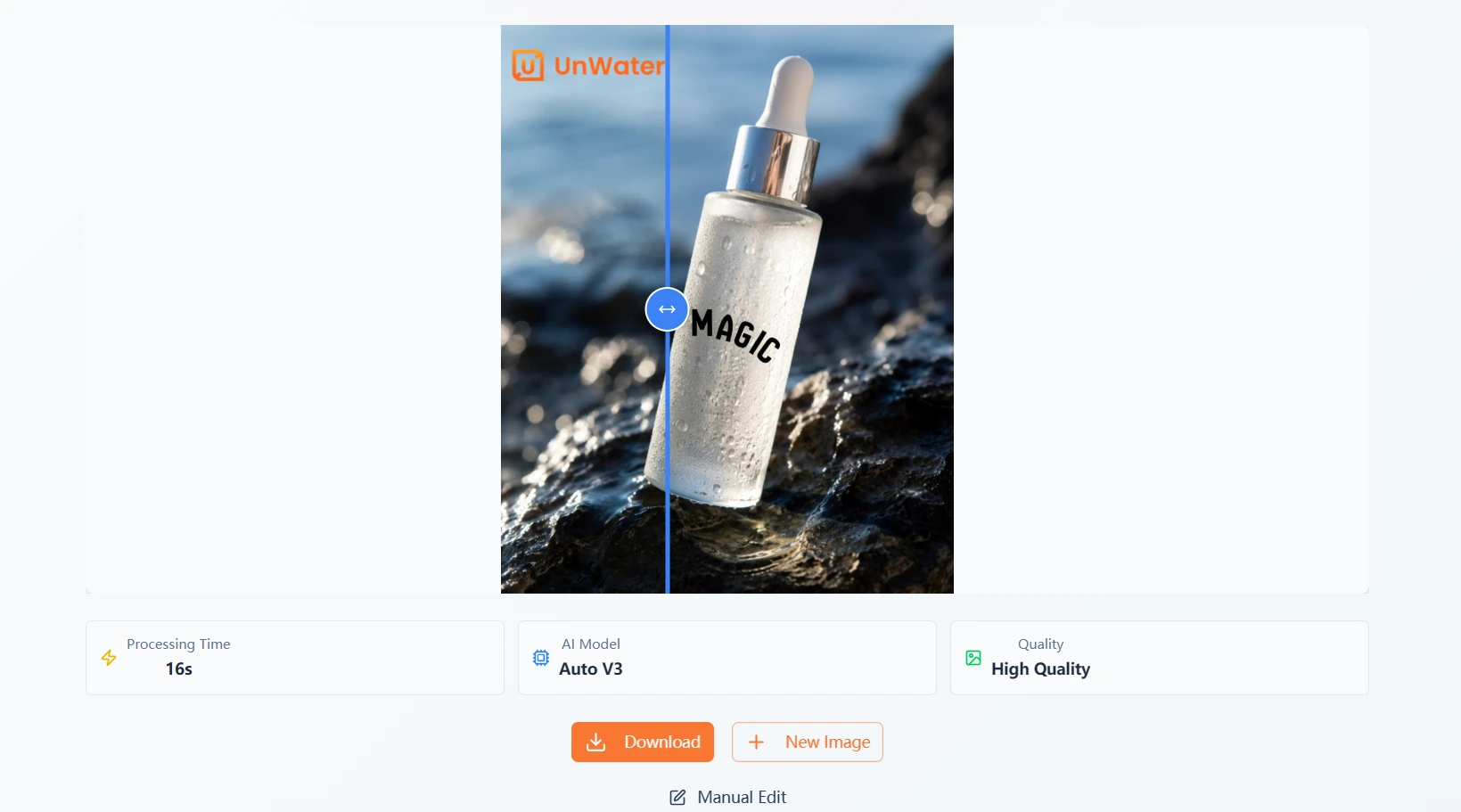
Batch Watermark Removal: Process Up to 100 Images at Once
One of the most powerful features of Unwatermark is its batch watermark removal capability.
Most free watermark removers only allow users to process one image at a time.
While this may be acceptable for occasional use, it quickly becomes inefficient when handling large projects.
Unwatermark supports batch processing for up to 100 images simultaneously.
Simply upload a folder containing multiple watermarked images, and the AI automatically analyzes each file independently.
The system will:
- Detect watermark locations in every image
- Identify single, multiple, transparent, or repeated watermarks
- Remove the watermark intelligently
- Reconstruct missing image details
- Export clean, watermark-free results
This dramatically reduces repetitive work and allows users to scale image processing workflows efficiently.
For ecommerce teams managing thousands of product photos, this feature alone can save dozens of working hours every month.
The result is faster content production, quicker product launches, and lower operational costs.
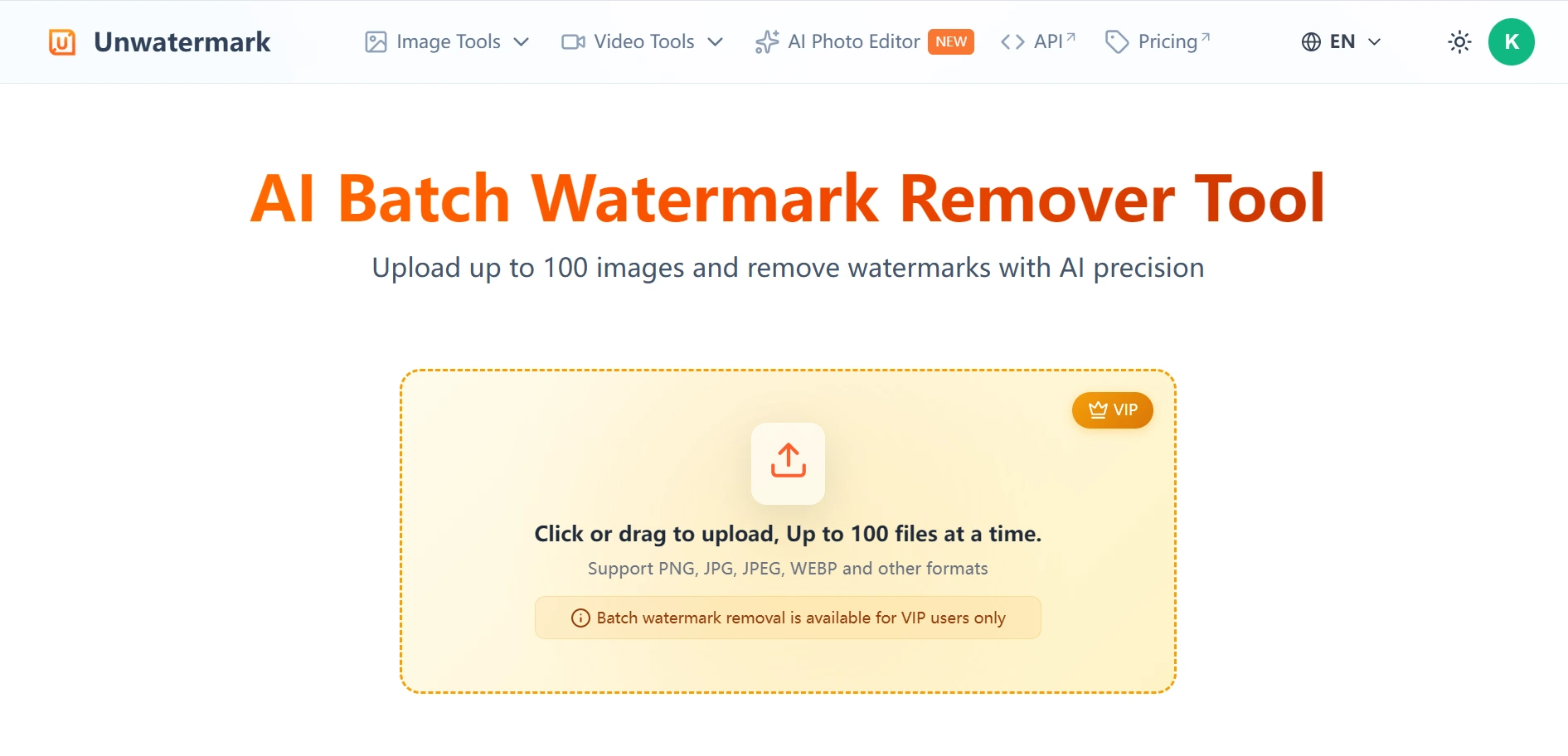
Why Unwatermark Delivers Better Results Than Traditional Watermark Removers
Many watermark removal tools claim to use AI, but their results often reveal obvious limitations.
Common problems include:
- Blurred repair areas
- Texture mismatches
- Missing details
- Visible watermark remnants
- Distorted objects
- Inconsistent lighting
- Artificial-looking reconstruction
Unwatermark was designed specifically to overcome these challenges.
Its AI model combines advanced watermark detection with intelligent image restoration technology.
Rather than simply covering watermark regions, the system understands the context of the surrounding image and reconstructs hidden content naturally.
This leads to:
- Cleaner removals
- Higher reconstruction accuracy
- Better texture preservation
- More realistic details
- Consistent lighting and color
- Natural-looking final results
Whether the watermark covers a product image, portrait photo, landscape scene, or marketing graphic, the AI maintains visual consistency throughout the image.
This level of quality is one of the key reasons many users consider Unwatermark among the best free AI watermark removers available today.
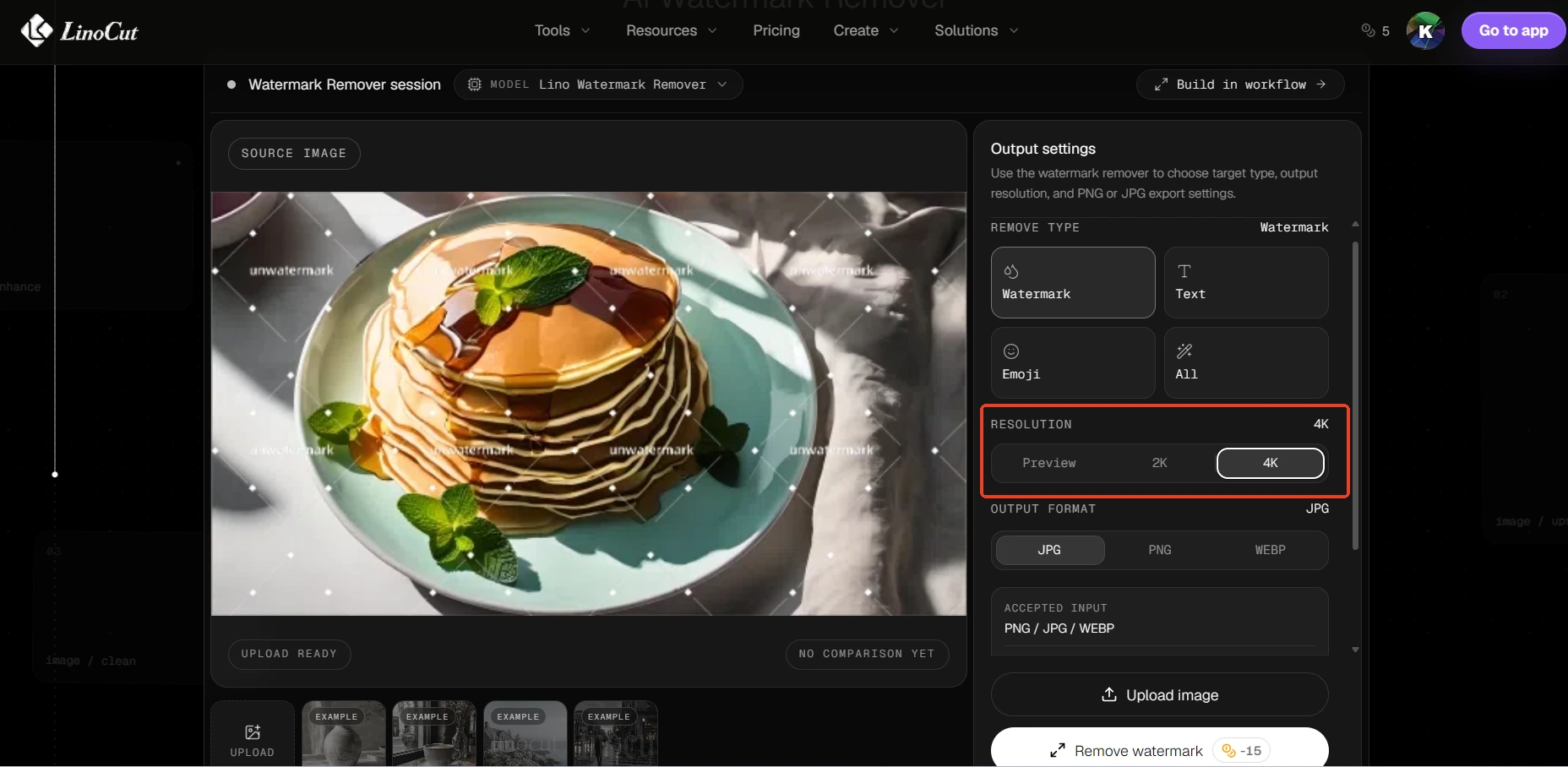
LinoCut AI Watermark Remover: Remove Watermarks and Upscale Images to 2K or 4K at the Same Time
While Unwatermark excels at intelligent watermark detection and removal, some users need an even more advanced workflow.
In many situations, removing a watermark is only the first step.
After watermark removal, users often need to improve image resolution and overall visual quality before publishing the image online.
This is particularly common among:
- Ecommerce sellers
- Print designers
- Marketing agencies
- Advertising teams
- Social media creators
- Professional photographers
Traditionally, users would need to perform two separate tasks:
- Remove the watermark
- Upscale and enhance the image
This means extra processing time, additional software, and often double the credit consumption across different platforms.
LinoCut AI solves this problem with an integrated workflow.
When removing the watermark, users can choose to upscale the image directly to 2K or 4K resolution.
The AI enhancement process is performed alongside the watermark removal process, allowing users to receive a high-resolution, watermark-free image in a single step.
Benefits include:
- Higher image resolution
- Improved sharpness
- Enhanced textures
- Better product presentation
- Reduced workflow complexity
- Lower overall processing costs
Instead of spending additional time enhancing images after cleanup, users can immediately upload the final result to ecommerce platforms, websites, marketplaces, or advertising campaigns.
This streamlined workflow significantly improves productivity for businesses handling large volumes of visual content.
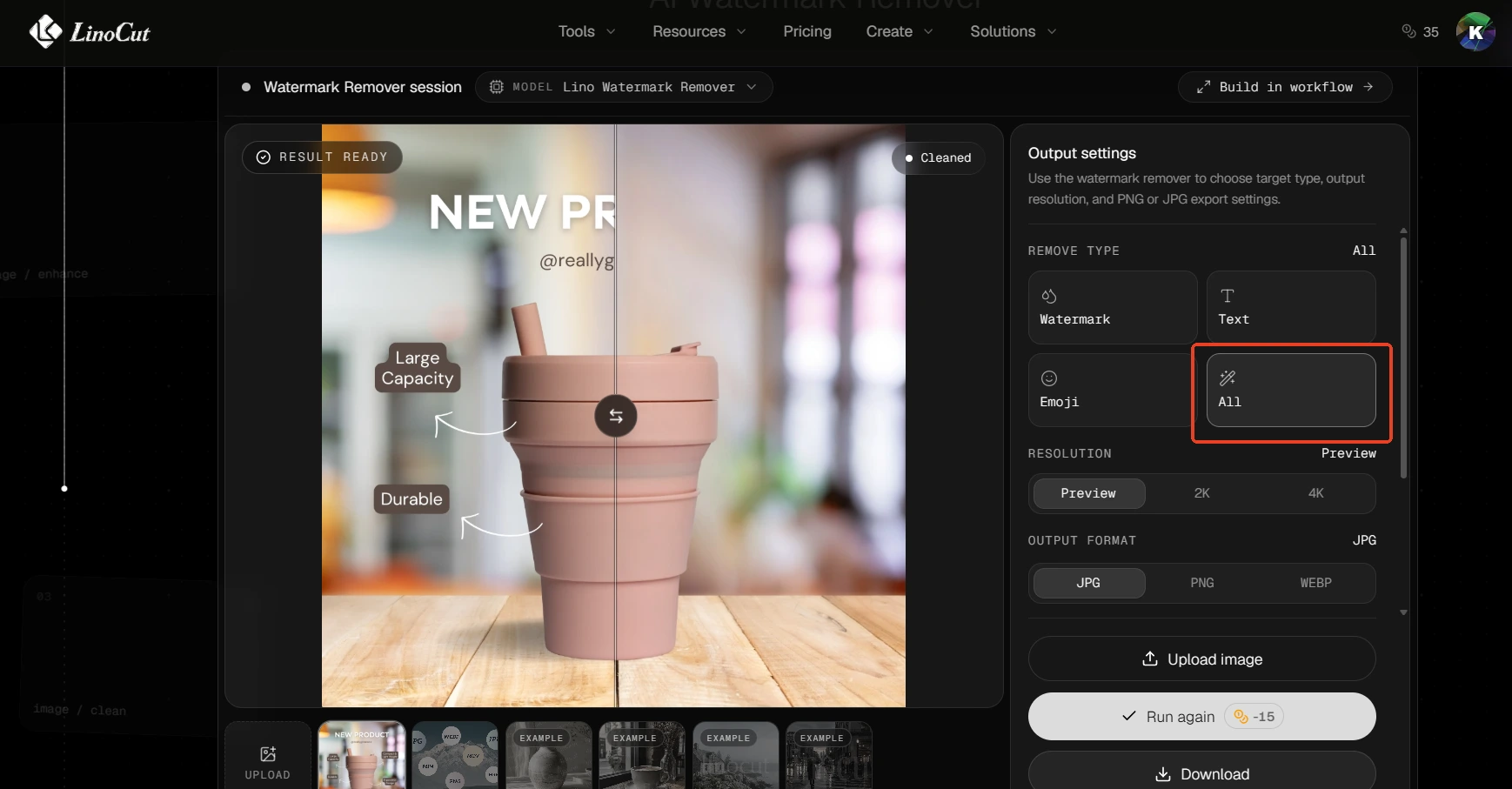
AI Watermark Remover That Removes Watermarks, Text, Emoji, and Unwanted Objects
Another major advantage of LinoCut AI is its flexibility.
Many watermark removers only focus on removing watermarks.
However, real-world image editing often involves more than just watermark cleanup.
Users frequently need to remove:
- Watermarks
- Text overlays
- Emojis
- Logos
- Background distractions
- Unwanted objects
- Visual clutter
LinoCut AI allows users to decide exactly what should be removed.
Instead of being limited to watermark processing, the AI can automatically identify and eliminate multiple unwanted elements simultaneously.
For example:
A product photo may contain:
- A watermark
- Promotional text
- Decorative emojis
- Unwanted background objects
Rather than editing each element individually, users can remove everything in a single workflow.
The result is a cleaner image that keeps attention focused on the primary subject.
This capability is especially valuable for content repurposing, advertising design, ecommerce optimization, and creative production.
By removing distractions and unnecessary visual elements, users can create more professional and conversion-focused imagery with minimal effort.

Best Free AI Watermark Remover Comparison: Which Tool Should You Choose?
With so many AI watermark removers available today, choosing the right solution can be difficult.
The ideal tool depends on your workflow and image processing requirements.
If your primary goal is achieving the highest watermark detection accuracy with fully automated processing, Unwatermark remains one of the strongest options available. Its advanced AI detection engine can identify everything from simple logos to highly transparent and invisible watermark layers while preserving image quality through pixel-level reconstruction.
If you need a more complete image enhancement workflow, LinoCut AI offers additional advantages beyond standard watermark removal.
Unlike traditional AI watermark removers, LinoCut AI combines:
- Automatic watermark detection
- AI watermark removal
- Object removal
- Text removal
- Emoji removal
- Image enhancement
- 2K upscaling
- 4K upscaling
This allows users to clean and improve an image simultaneously rather than performing multiple editing steps across different tools.
For ecommerce sellers, marketing teams, and professional content creators, this integrated workflow can significantly reduce production time while delivering higher-quality results.
How to Remove Watermarks from Images Using Unwatermark.ai
One reason Unwatermark has become so popular is its simplicity.
The entire process takes only a few steps.
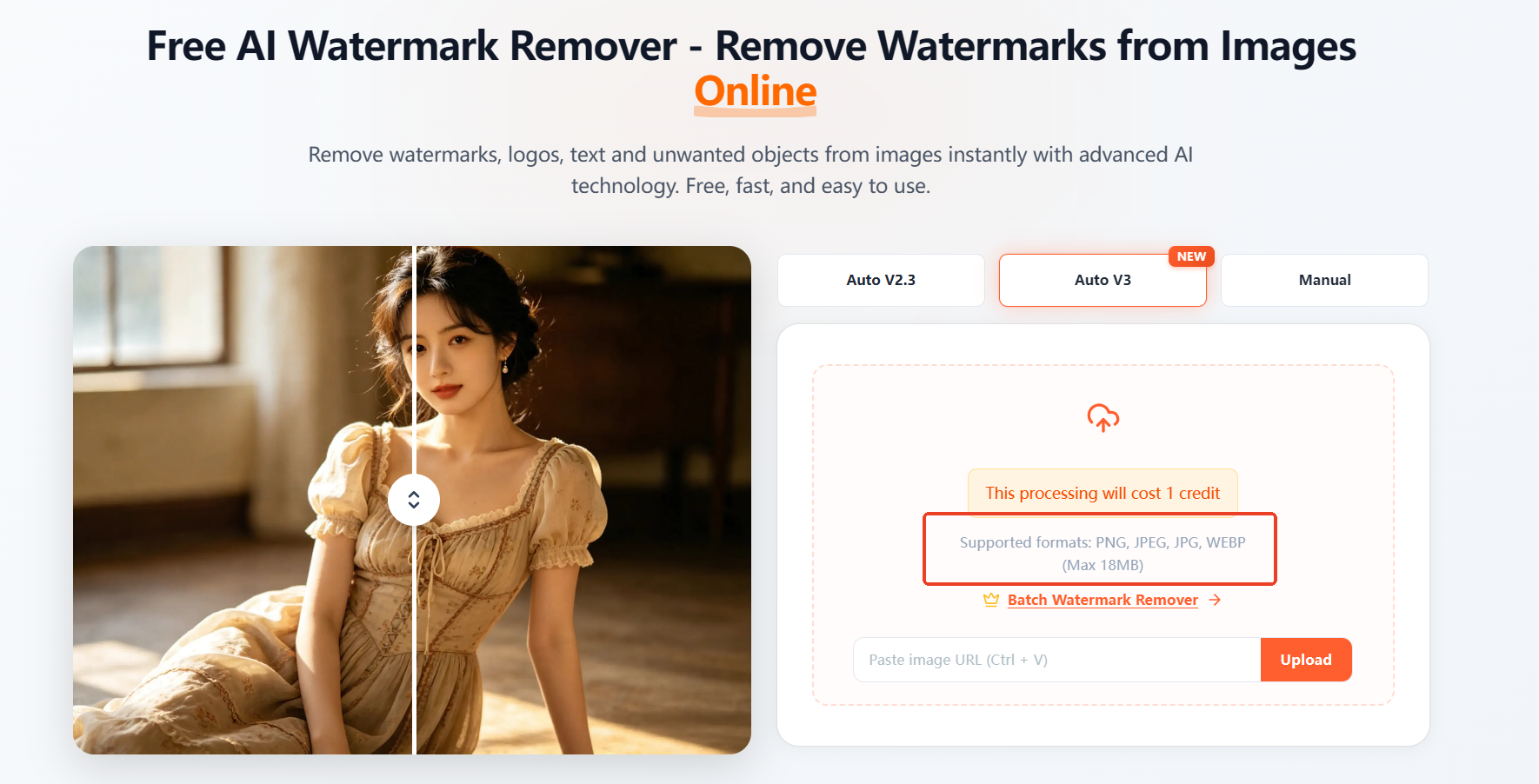
Step 1: Upload Your Watermarked Image
Select the image containing the watermark and upload it to the platform.
Supported watermark types include:
- Logo watermarks
- Text watermarks
- Transparent watermarks
- Invisible watermarks
- Repeated watermark patterns
- Full-screen watermarks
Supports uploading PNG, JPG, JPEG, and WEBP files; the maximum file size is 18 MB.
Step 2: Let the AI Detect the Watermark Automatically
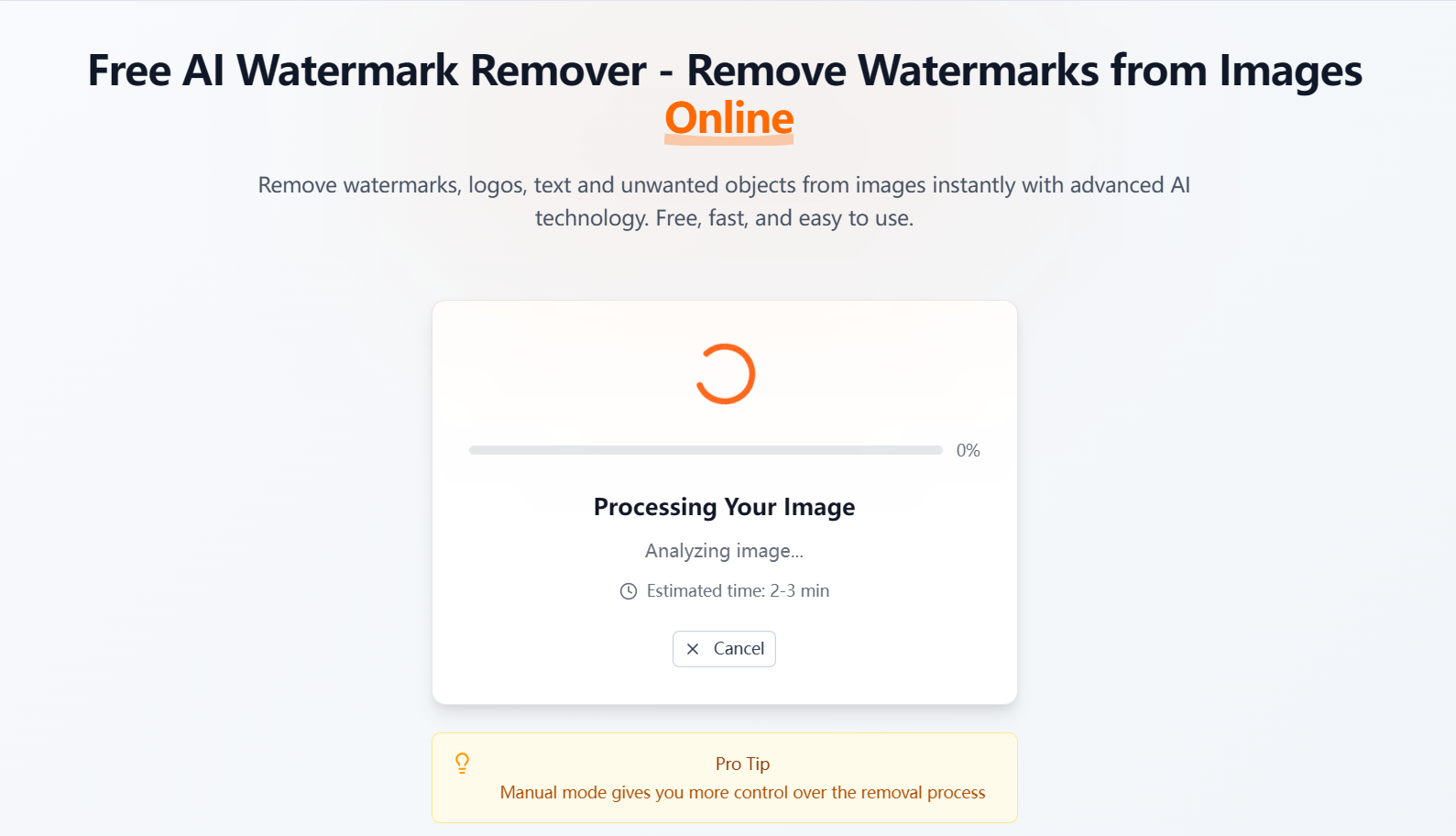
Once the image is uploaded, the AI immediately begins analyzing the image.
No manual selection is required.
The system automatically identifies watermark regions and prepares the image for reconstruction.
Step 3: AI Removes the Watermark
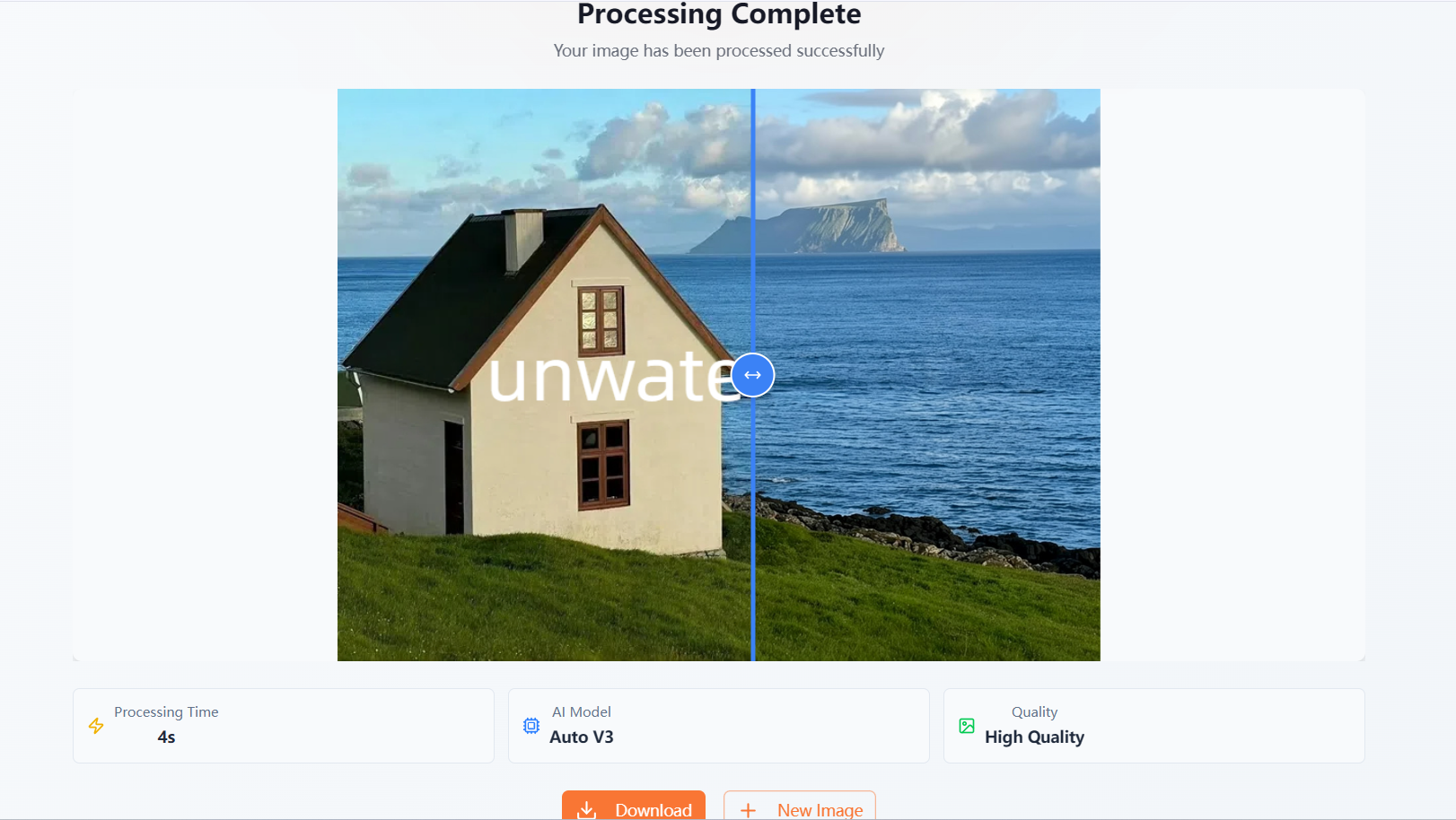
The watermark is separated from the original image content using advanced AI recognition technology.
The system then reconstructs missing visual information using pixel-level image restoration.
Step 4: Download the Clean Image
Within seconds, users receive a clean image with the watermark removed.
The final result preserves image quality, textures, details, lighting, and composition while maintaining a natural appearance.

Why More Users Are Choosing LinoCut AI for Watermark Removal
As AI image editing technology continues to evolve, users increasingly want more than simple watermark removal.
They want a solution that improves the entire image.
This is where LinoCut AI stands out.
In addition to intelligently removing watermarks, LinoCut AI can enhance image quality before the removal process begins, allowing users to generate cleaner and sharper outputs in a single workflow.
For ecommerce businesses, this means product photos can be transformed into high-resolution, marketplace-ready assets without additional editing steps.
For designers and content creators, it means less time switching between multiple tools and more time focusing on creative work.
Another major advantage is accessibility.
Currently, LinoCut AI provides a generous amount of free credits for new users, allowing them to remove watermarks from images without any upfront cost. This makes it easy to test the platform, process multiple images, and evaluate the quality of the results before committing to a larger workflow.
For users who regularly handle watermarked images, these free credits provide a practical way to save both time and editing expenses.
Combined with automatic AI detection, intelligent reconstruction, and image upscaling capabilities, LinoCut AI delivers one of the most complete AI-powered image cleanup experiences available today.
Frequently Asked Questions About AI Watermark Removers
What Is the Best Free AI Watermark Remover?
Unwatermark is widely regarded as one of the best free AI watermark removers because it can automatically detect and remove single, multiple, transparent, invisible, and full-screen watermarks while preserving image quality through advanced AI reconstruction.
Can AI Remove Invisible Watermarks?
Yes.Modern AI models can identify subtle pixel inconsistencies caused by low-opacity watermark layers.Unwatermark is specifically designed to detect and remove invisible or highly transparent watermarks that many traditional tools cannot recognize.
Will Watermark Removal Reduce Image Quality?
Not necessarily.Advanced AI watermark removers use intelligent image reconstruction rather than simple deletion techniques.Both Unwatermark and LinoCut AI preserve image details, textures, colors, and structural integrity during processing.
Can I Remove Watermarks from Multiple Images at Once?
Yes.Unwatermark supports batch processing for up to 100 images simultaneously, making it ideal for ecommerce sellers, agencies, photographers, and businesses managing large image libraries.
Can I Enhance Image Quality While Removing Watermarks?
Yes.LinoCut AI allows users to upscale images to 2K or 4K resolution before watermark removal.This enables users to receive high-resolution, watermark-free images in a single workflow while avoiding additional enhancement steps.
Why Unwatermark Is the Best Free AI Watermark Remover in 2026
AI technology has dramatically transformed the way watermarks are removed from images.
What once required professional editing skills and hours of manual work can now be completed automatically in seconds.
Among today's available solutions, Unwatermark stands out for its ability to automatically detect and remove virtually any type of watermark, including transparent watermarks, invisible watermarks, repeated watermark patterns, and full-image overlays.
Its advanced AI reconstruction engine preserves image quality, maintains visual consistency, and restores hidden content with remarkable accuracy.
For users managing large-scale image workflows, support for batch processing up to 100 images provides an additional productivity advantage that few competitors can match.
Meanwhile, users seeking an even more powerful workflow can leverage LinoCut AI to combine watermark removal with image enhancement, 2K upscaling, 4K upscaling, text removal, emoji removal, and object cleanup—all within a single platform.
With generous free credits currently available, automatic AI-powered detection, and industry-leading restoration quality, both Unwatermark and LinoCut AI represent the next generation of intelligent image cleanup tools.
If you're looking for the best free AI watermark remover in 2026, these solutions offer everything needed to create clean, professional, high-quality images faster than ever before.